Check your IESCO online bill with your 14-digit reference number. Your latest Islamabad Electric Supply Company bill opens on the official PITC web bill page, where you can see the payable amount and due date, then download or print a duplicate copy for free.
Check Your IESCO Bill
Choose how you want to search, then enter your number.
Your bill opens in a new tab on bill.pitc.com.pk, the official billing system used by IESCO. We do not store your number.
IESCO Online Bill
Check, View & Pay Your IESCO Online Bill - Fast, Easy & Secure
24/7 Access
Access your bill anytime, anywhere
Secure & Safe
Your information is
100% secure
Reliable Service
Fast, reliable and
user-friendly
Go Green
Save paper. Save the environment.
- How to Process
Three steps. Thirty seconds.
Find Reference
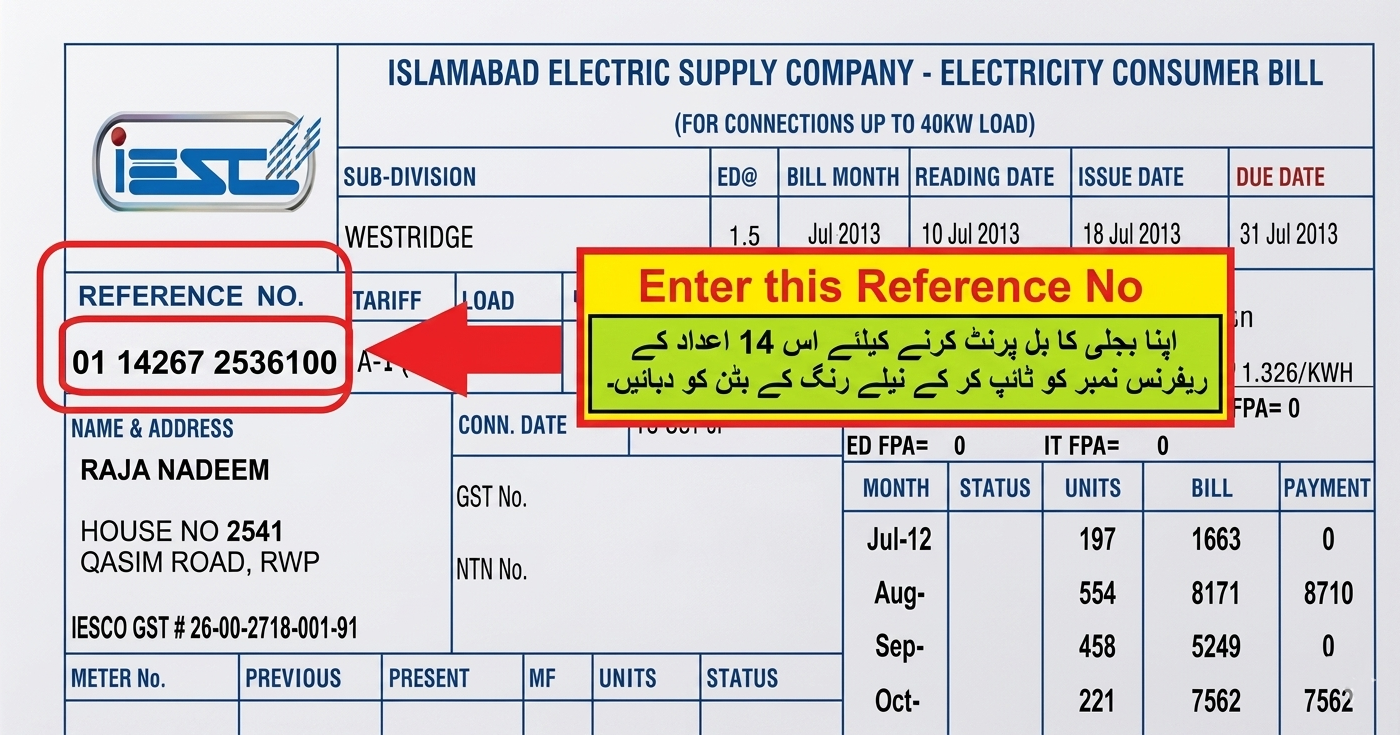
Open any IESCO paper bill and locate the 14 digit reference number on the top-left corner.
Enter the number
Type the digits without spaces or dashes into the IESCO online bill check form above.
View & download
Your current bill loads instantly as a printable PDF — save it or pay at any bank.
IESCO Bill Online Check by Reference Number
The quickest way to check your IESCO bill online is with the 14-digit reference number printed on your bill. Every IESCO connection has its own reference number, and the PITC (Power Information Technology Company) billing system uses it to find your latest bill instantly. You do not need an account, a password or any personal details.
Enter the number in the bill checker at the top of this page. When all 14 digits are entered, your bill opens in a new tab on bill.pitc.com.pk. If a digit is missing, the checker tells you before anything is sent, so you never land on an empty page.
IESCO online bill check with 14-digit reference number
Type the digits exactly as they appear on your bill, without spaces or dashes. Some bills print the number with spaces or an area letter at the end; ignore those and enter only the 14 digits. If your connection details ever change, always copy the number from your newest bill.
Check IESCO Bill Online
The IESCO web bill is the online copy of your monthly bill published by PITC. PITC prepares bills for IESCO and the other government distribution companies, so the web bill is the same official bill you receive on paper. It always shows the current billing month.
How to Check IESCO Bill Online?
Checking your bill takes less than a minute on a phone or computer:
- Find your reference number on any previous IESCO bill, near the top of the page.
- Choose Reference No or Customer ID in the bill checker above and enter the number.
- Tap Check Bill. Your bill opens on the official PITC page in a new tab.
- Review the bill – payable amount, due date, units and meter readings – then print it or save it as a PDF.
IESCO bill check by customer ID
Your 10-digit customer ID is printed next to the reference number. Select the Customer ID option, enter the number and the PITC page opens with your ID copied, so you can paste it into the customer ID search there.
Steps to Check
- Open the IESCO online bill checking page.
- Enter your 14-digit reference number.
- Click on the “Check Bill” button.
- Your latest electricity bill details will appear on the screen.
- Download or print your duplicate IESCO bill if required.
Tip: save your reference number in your phone once, and you can check every future IESCO bill in seconds without the paper copy.
IESCO Bill Online – Complete Guide
Where to Find Your IESCO Reference Number
The reference number is the 14-digit code that identifies your electricity connection. It is printed near the top of every IESCO bill, close to your name, address and customer ID, and it stays the same every month.
Lost your old bill?
- Look for a photo or PDF of an old bill on your phone, or ask your landlord or a family member.
- Call the IESCO helpline 118 and share the connection details.
- Visit your IESCO subdivision (SDO) office or customer service centre with your CNIC and the address of the connection.
Check IESCO Bill by Name, CNIC or Meter Number
IESCO bill check by name: the online system cannot search by consumer name, because many connections share the same name. You need the reference number or customer ID.
IESCO bill check by CNIC: a CNIC number alone does not open a bill online. If your CNIC and mobile number are registered with IESCO, the 118 helpline or your customer service centre can help you identify your connection.
IESCO bill check by meter number: the meter number is printed on the bill and on the meter, but the PITC page does not search by it. Take a photo of your meter and ask your subdivision office for the reference number.
What Information is Available on IESCO Online Bill?
- Consumer details: name, address, reference number, customer ID, tariff category and sanctioned load.
- Meter reading and units: previous and present readings, reading date and units (kWh) consumed.
- Energy charges: cost of units at the NEPRA-approved tariff for your category, plus any fixed charges.
- Adjustments: fuel price adjustment (FPA), quarterly adjustments and surcharges.
- Taxes and duties: general sales tax, electricity duty and other applicable taxes.
- Payable amount: the amount within the due date and the higher amount after it.
- Bill history: a table of recent months with units, billed amounts and payments.
How Your IESCO Bill Is Calculated
- Units consumed = present meter reading − previous meter reading.
- Energy charges = units × the per unit rate for your tariff category and slab.
- Fixed charges are added for some categories, based on sanctioned load.
- Adjustments such as FPA and quarterly adjustments are added or deducted.
- Taxes and duties are calculated on top, giving the amount payable within the due date.
Protected and unprotected consumers
Residential consumers who use 200 units or less every month for six consecutive months are treated as protected and get lower rates. If usage goes above 200 units in any month, the connection is billed at unprotected rates. Because rates change between slabs, a few extra units near a slab limit can raise the bill much more than expected. See the IESCO per unit cost guide and the IESCO tariff guide for details.
Taxes and Charges on Your IESCO Bill Explained
FPA (Fuel Price Adjustment)
A monthly adjustment, approved by NEPRA, that reflects the actual cost of fuel used to generate electricity. It can increase or reduce your bill.
QTA (Quarterly Tariff Adjustment)
A per unit adjustment applied for a set period after NEPRA reviews the distribution companies’ costs each quarter.
FC Surcharge
The financing cost surcharge is charged per unit to pay for the power sector’s debt financing. Read what FC surcharge means.
GST and Electricity Duty
General sales tax is a federal tax on the electricity cost of your bill, and electricity duty is a provincial duty charged as a percentage of the energy cost. Both appear as separate lines.
Late Payment Surcharge
An extra amount added when the bill is paid after the due date. The bill shows both amounts so you know what to pay and when.
IESCO Peak Hours Timings
Consumers with a time-of-use (TOU) meter, usually connections with a sanctioned load of 5 kW or more, pay a higher rate for units used in peak hours. Running heavy appliances outside these hours lowers the bill.
| Months | Peak hours |
|---|---|
| December – February | 5:00 pm – 9:00 pm |
| March – May | 6:00 pm – 10:00 pm |
| June – August | 7:00 pm – 11:00 pm |
| September – November | 6:00 pm – 10:00 pm |
All remaining hours of the day are off-peak.
Download IESCO Duplicate Bill Online
A duplicate bill is an exact copy of your monthly IESCO bill. It is useful when the paper bill is lost, arrives late, or you need a copy for payment, rent records or an address proof. The online copy has the same reference number, charges and due date as the printed bill.
- On a computer: open your bill, press Ctrl + P and choose your printer or Save as PDF.
- On a mobile phone: open your bill, tap the browser menu, choose Share or Print, then Save as PDF.
- Banks and payment apps accept the reference number, so you can pay without a printed copy.
Can I check my previous IESCO bills?
The PITC page shows the current bill. The bill itself includes a history table of recent months with units, billed amounts and payments, which helps you compare usage. See the IESCO bill history guide.
How to Check if Your IESCO Bill Is Paid or Not
Keep the receipt or transaction ID from your bank or wallet – it is your proof of payment. The payment also appears in the payment history of your next IESCO bill. If a payment is missing, contact your bank first and then your IESCO customer service centre with the receipt. Learn more in our guide on how to check IESCO bill status.
IESCO Online Bill Payment Methods
Bank app or internet banking
Open Bill Payment or Utility Bills, choose Electricity, select IESCO, enter your reference number and confirm the amount.
Easypaisa and JazzCash
In the app, go to Bill Payment → Electricity → IESCO, enter the reference number and pay from your wallet.
ATM or bank branch
Use the utility bill option at an ATM, or pay cash at a bank branch counter with your printed or duplicate bill. Pay before the due date to avoid the late payment surcharge.
How to Check Your IESCO Meter Reading
- Open your IESCO bill online and note the present reading and reading date.
- Check the reading on your meter. On digital meters, press the button until the total kWh reading appears.
- Your meter should show the same or a slightly higher number, because you have used electricity since the reading date.
- If the bill reading is higher than your meter, take a dated photo of the meter for your complaint.
Wrong or High IESCO Bill? How to Get It Corrected
- Visit your subdivision (SDO) office or customer service centre with the bill, a meter photo and your CNIC, and request a correction before the due date.
- For a large amount, ask the office about paying arrears in installments. Approval depends on the amount and the office’s rules.
- Register a complaint on 118 so you have a record number to follow up.
- If the problem is not solved, you can file a consumer complaint with NEPRA, the power regulator.
Key Features of IESCO Bill Online Service
Instant Online Bill Checking
Customers can quickly check their latest electricity bill details online by entering their reference number, without waiting for a physical bill.
Download Duplicate Bill Copy
Users can easily download and print a duplicate IESCO bill anytime, which helps in case the original bill is lost or not received.
Complete Billing Information Access
The service provides important details such as bill amount, due date, meter information, and monthly charges for better understanding of electricity expenses.
Fast and Time-Saving Service
IESCO online bill checking eliminates the need to visit offices or depend on paper bills, making bill management quicker and more convenient.
Mobile and Computer Friendly Access
Consumers can check their electricity bills anytime using smartphones, tablets, or computers from anywhere with internet access.
Secure and User-Friendly Platform
The online system offers a simple, reliable, and secure way to manage electricity bills with easy access to billing records.
- Coverage
IESCO Online Bill Check for Islamabad, Rawalpindi and Other Cities
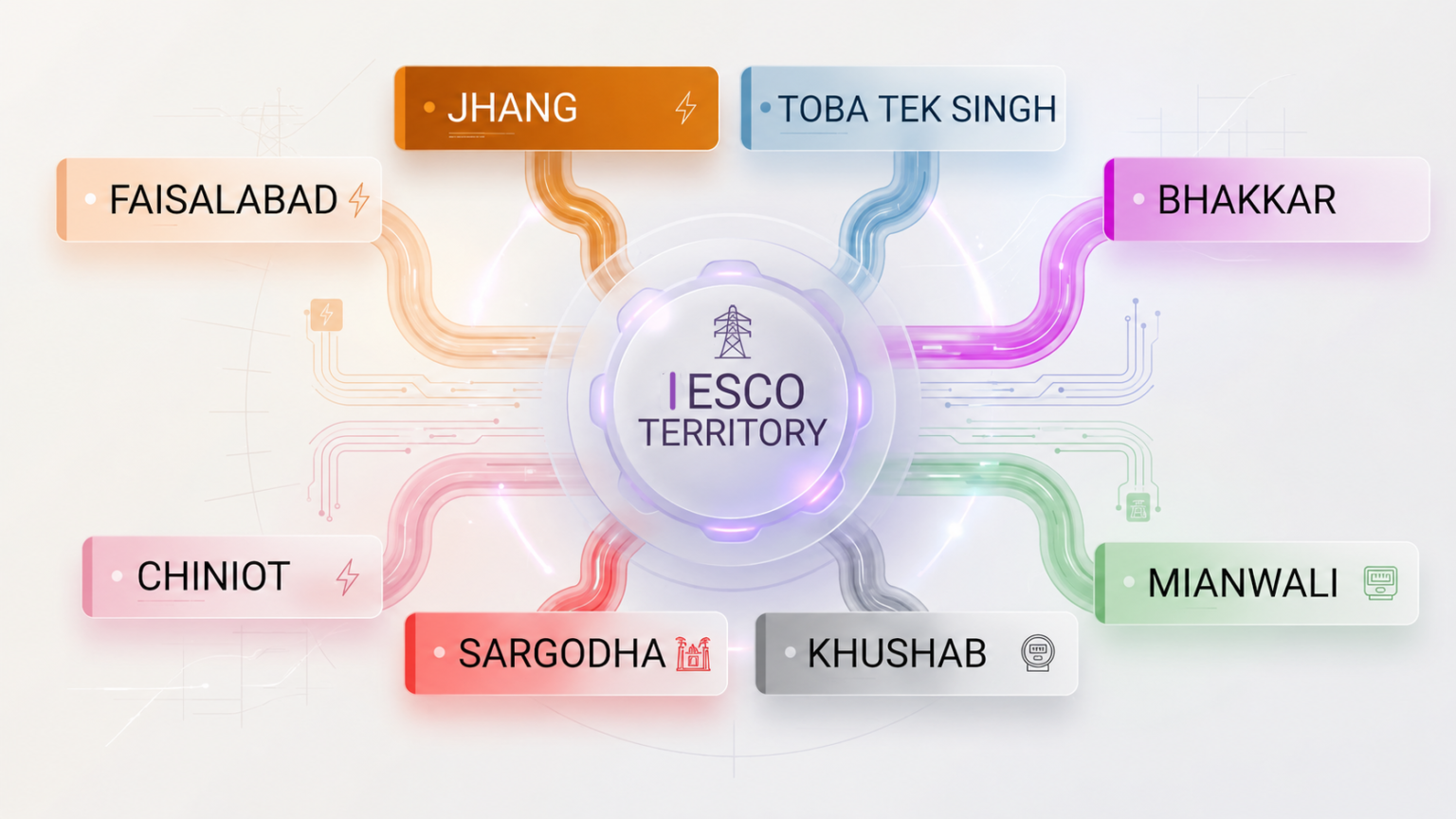
Islamabad Electric Supply Company (IESCO) is a government-owned distribution company formed in 1998. It supplies electricity in the area from Attock to Jhelum, and the same bill checker works for every IESCO consumer – residential, commercial, industrial or agricultural.
- Islamabad: sectors, model villages and rural areas of the federal capital.
- Rawalpindi City and Cantt: Rawalpindi, the cantonment areas, Wah, Taxila, Murree, Kahuta and nearby towns.
- Attock: Attock city, Fateh Jang, Pindi Gheb, Hazro, Hasan Abdal and surrounding areas.
- Jhelum: Jhelum city, Dina, Sohawa, Pind Dadan Khan and nearby villages.
- Chakwal: Chakwal, Talagang, Choa Saidan Shah, Kallar Kahar and nearby areas.
Whether you search for an IESCO online bill check in Islamabad or Rawalpindi, the method is the same: enter your 14-digit reference number above.
Common Issues While Checking IESCO Bill Online
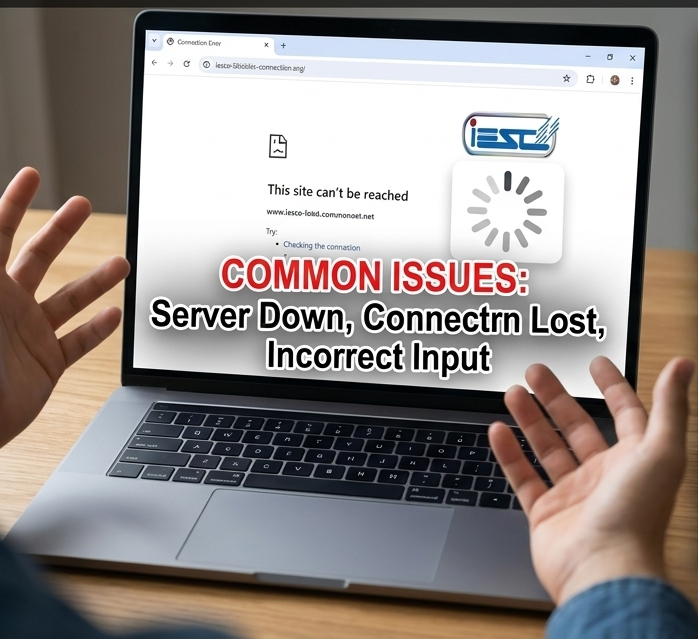
Most problems come from a wrong number or a blocked pop-up. Try these fixes before contacting IESCO.
Wrong or incomplete reference number
Enter all 14 digits exactly as printed, with no spaces, dashes or extra letters. Copy the number from your latest bill.
The bill did not open
Your browser may have blocked the new tab. Allow pop-ups for this site, or use the direct link that appears under the Check Bill button.
New connection not showing
A new connection appears online only after its first bill is issued. Until then, ask your subdivision office for the reference number and billing date.
PITC page is slow
Near due dates many people check bills at the same time. Wait a few minutes and try again, or use a different browser or network.
Bill shows an old month
The new bill appears once it is issued for your area. If the due date has passed and the bill still has not changed, contact the 118 helpline.
IESCO Helpline, Complaints and New Connection
Use these official IESCO channels for power failures, billing problems and other complaints:
- 118 helpline: call 118 for power failures, faults and billing complaints. A complaint can be registered in about 30 seconds if your details are correct.
- SMS 8118: send your complaint by SMS. After a fault is fixed, the 118 system may call you to confirm – answer it so the complaint can be closed.
- Bill not delivered: register the complaint on the PITC complaint portal at ccms.pitc.com.pk.
- Head office: IESCO Head Office, Street 40, Sector G-7/4, Islamabad.
- Customer service centres: visit your subdivision (SDO) office for bill corrections, installments and meter issues.
IESCO new connection: apply and track online
New connections for IESCO and the other government distribution companies are applied for on the ENC portal at enc.com.pk. Select IESCO, fill in your details, upload documents such as your CNIC and proof of ownership or tenancy, and pay the demand notice after the site survey. Use your application number on the portal to track the status. The same portal handles change of name and change of tariff requests.
IESCO power suspension and load shedding schedule
IESCO announces planned power suspensions for maintenance work through press releases on its official website, iesco.com.pk. Each notice lists the date, time and the feeders affected in circles such as Islamabad, Rawalpindi City, Rawalpindi Cantt, Attock, Jhelum and Chakwal. For an unplanned outage, register a complaint on 118.
IESCOOnlineBill.com is an independent information website and is not affiliated with IESCO, PITC or the Government of Pakistan. Bills open only on the official PITC system. You can also visit the official PITC IESCO bill page directly.
IESCO Bill Guides and Blog Posts
Simple guides to help you understand and manage your IESCO electricity bill.
Frequently Asked Questions
How can I check my IESCO online bill?
Enter your 14-digit reference number in the bill checker at the top of this page and tap Check Bill. Your latest bill opens on the official PITC page, where you can view, print or save it.
Can I check my IESCO bill by name or CNIC?
No. The PITC bill system searches only by reference number or customer ID. If you do not have either, call 118 or visit your subdivision office with your CNIC.
How do I download a duplicate IESCO bill?
Open your bill online with your reference number, then print it or save it as a PDF. The duplicate bill is accepted for payment at banks and payment apps.
Where is the reference number on my IESCO bill?
It is printed near the top of the bill, close to your name and customer ID. It has 14 digits.
Is checking the IESCO bill online free?
Yes. Viewing, downloading and printing your bill online is free and needs no registration.
Why is my IESCO bill not showing online?
Usually the number has a missing or extra digit, the new tab was blocked, or the connection is new and its first bill has not been issued yet.
How can I check if my IESCO bill is paid or not?
Keep the receipt or transaction ID from your bank or wallet. The payment also appears in the payment history on your next IESCO bill.
What is the IESCO helpline number?
The IESCO helpline is 118. You can also register a complaint by SMS to 8118.
Can I check my previous IESCO bills online?
The online bill shows the current month and includes a history table with recent months’ units, billed amounts and payments.
What are IESCO peak hours?
Peak hours are 5 pm to 9 pm from December to February, 6 pm to 10 pm from March to May, 7 pm to 11 pm from June to August and 6 pm to 10 pm from September to November.